



- Click Help in the lower right corner of the screen. On a phone, tap the question mark at the top.
- Choose Ask a question, Report a problem, Suggest an idea or Something else.
- Write your message. For a problem, say what you clicked and what you expected to happen.
- Optional: Attach a screenshot. It helps a lot with problems.
- Check the Reply to email and click Send.
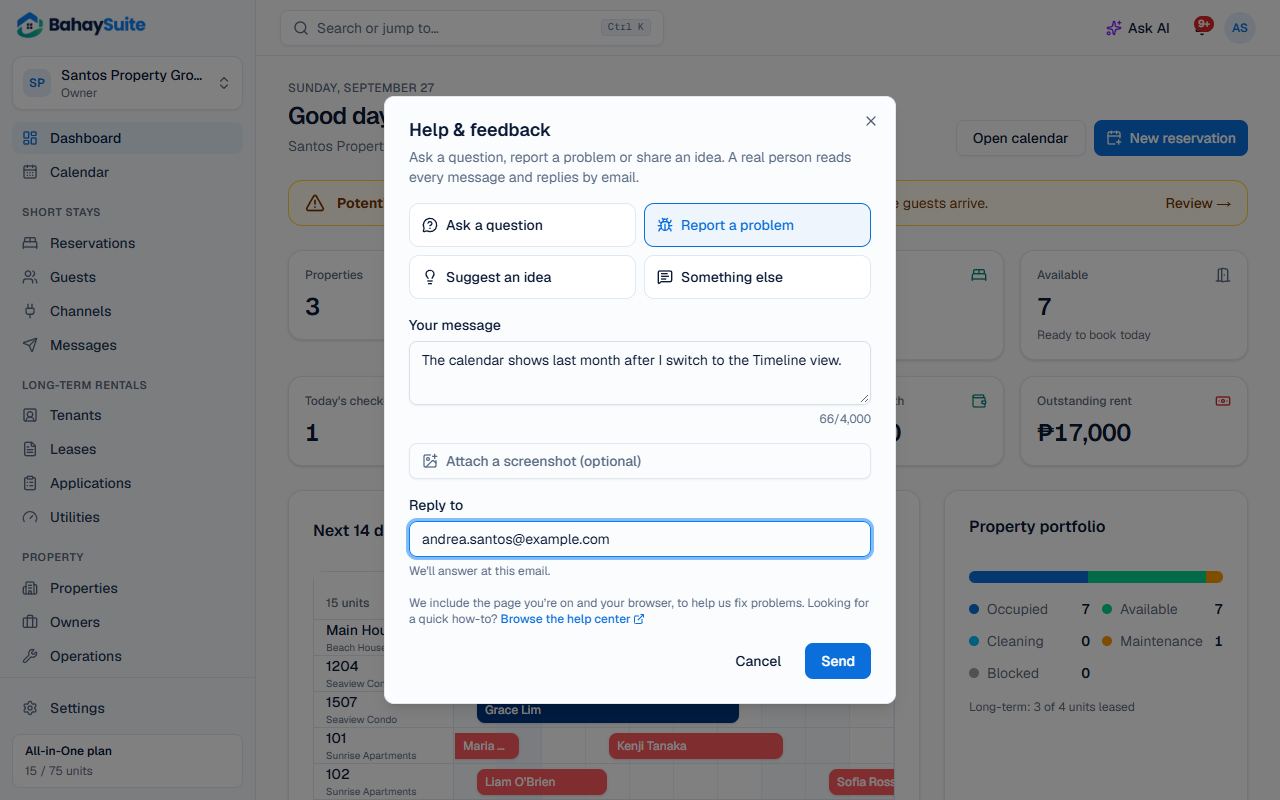
We include the page you were on and your browser, so we can see the same thing you saw. You get a copy of your message by email, and our reply comes to the Reply to address.
Other ways to reach us
- Email support@bahaysuite.com, or reply to any email we send you.
- Message the BahaySuite page on Facebook.
- Not signed up yet? Use the contact form.
For quick how-tos, search the help center first: most answers take a minute to read.