



Open Reports in the sidebar. Pick the dates and, if you like, one property.
- Profit & loss: income from stays and rent, minus platform fees and expenses, per property.
- Unpaid rent: every tenant with an overdue balance, oldest first.
- Occupancy: how many nights each unit was booked.
- Downloads: Download CSV for Payments, Reservations, Expenses and Lease charges. CSV files open in Excel and Google Sheets.
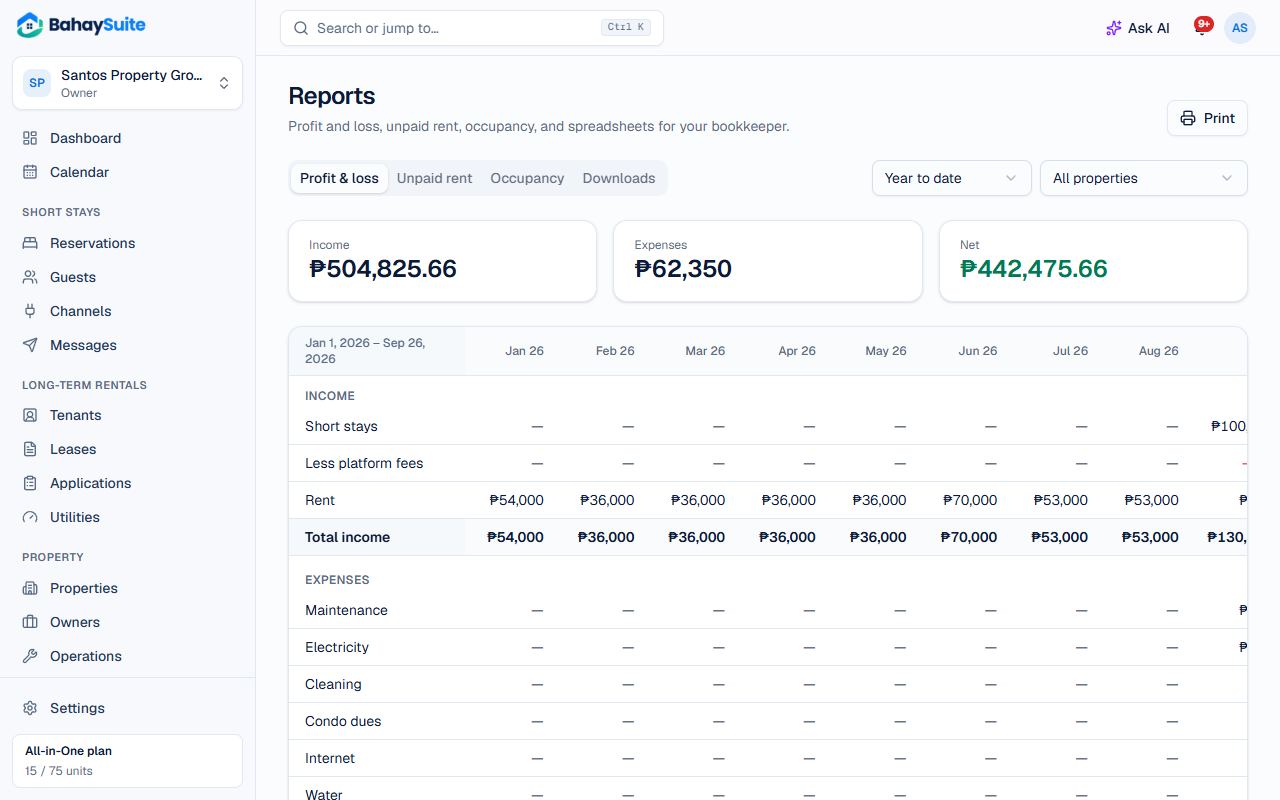
Use Print to save a report as PDF from your browser’s print window.