



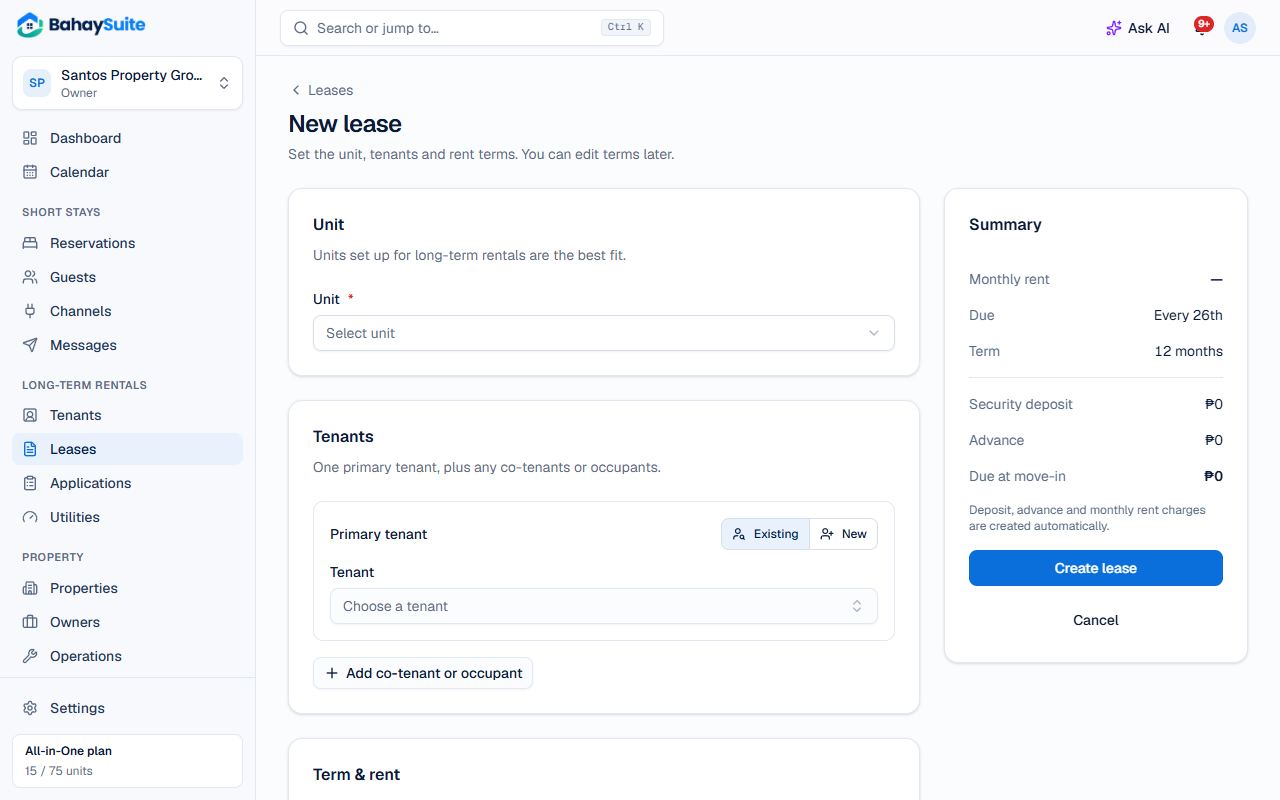
- Go to Leases → New lease.
- Pick the Unit. Its monthly rent fills in.
- Under Tenants, choose an Existing tenant or New and type their name, email and phone. Add co-tenants or occupants if there are any.
- Set the Start date and End date, or use the quick buttons (6 months, 1 year, Month-to-month).
- Check the Monthly rent, Security deposit (2 months suggested), Advance rent (1 month suggested) and Rent due day (1 to 31; 31 means the last day of every month).
- Leave the status on Active and click Create lease.
BahaySuite creates the deposit charge and a rent charge for every month of the lease, due on the day you chose. Advance rent is the first month’s rent (or first months’): that charge is due at move-in and marked Advance rent, so the month isn’t billed again when it begins. Open-ended leases get the next 3 months, topped up as time goes on.
Next
- Send the tenant their pay link: see Collect rent by GCash or bank.
- Print the contract of lease from the lease’s Documents card.
- Turn on late fees under Settings → Leases → Late fees if you charge them.