



Checklists
- On the lease, open the Documents card and choose Move-in checklist (or Move-out checklist once the lease is ending or ended).
- Mark each item Good, Fair, Damaged, Missing or N/A. Add items or rooms as needed.
- Click Save, then add photos. Print a copy for the tenant to sign.
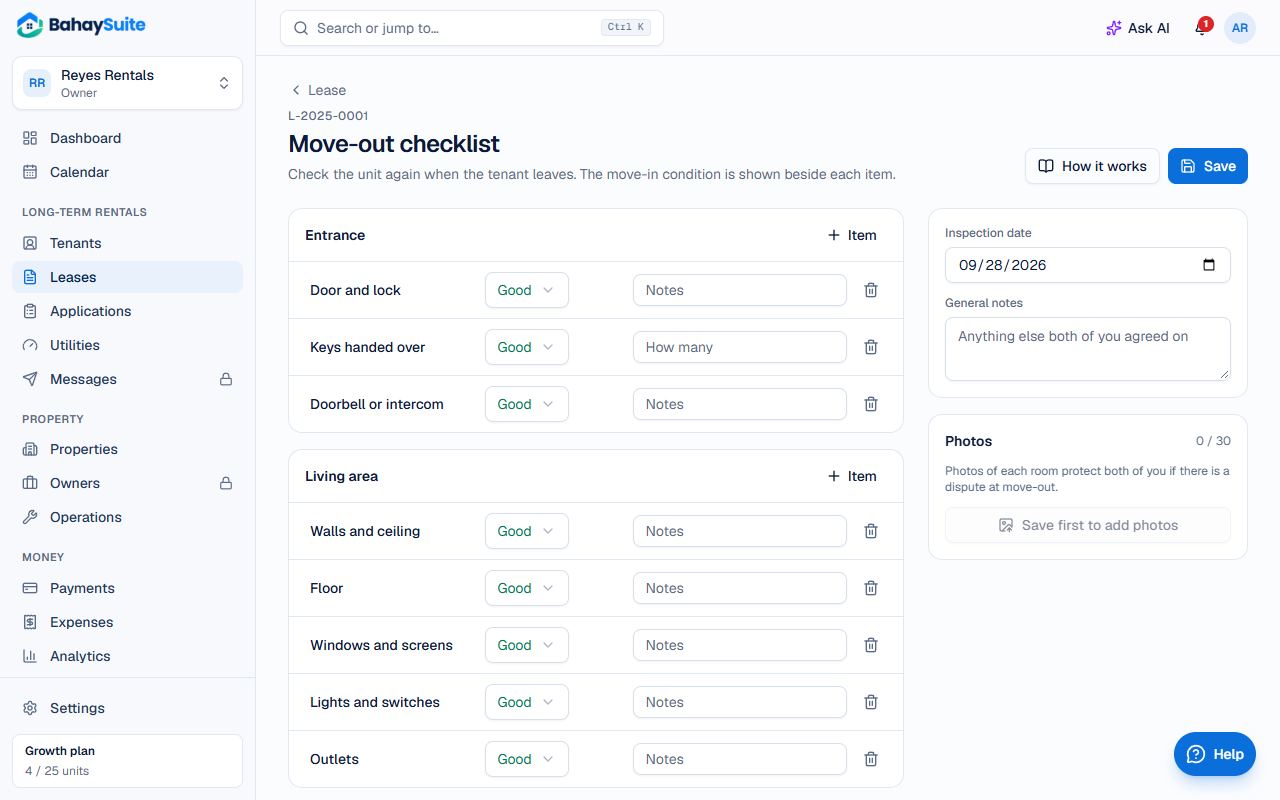
The move-out checklist shows each item’s move-in condition beside it, so differences are easy to spot.
Settle the deposit
- In Documents, open Deposit settlement.
- Check What you’re holding (the security deposit) and the Unpaid charges. Advance rent isn’t held: it already paid the first month.
- Add Deductions such as Cleaning, Repainting or Repairs, with amounts.
- Click Settle deposit. Unpaid charges are paid from the deposit, and the rest is the refund.
- When you’ve sent the refund, click Record the refund and Mark refunded.
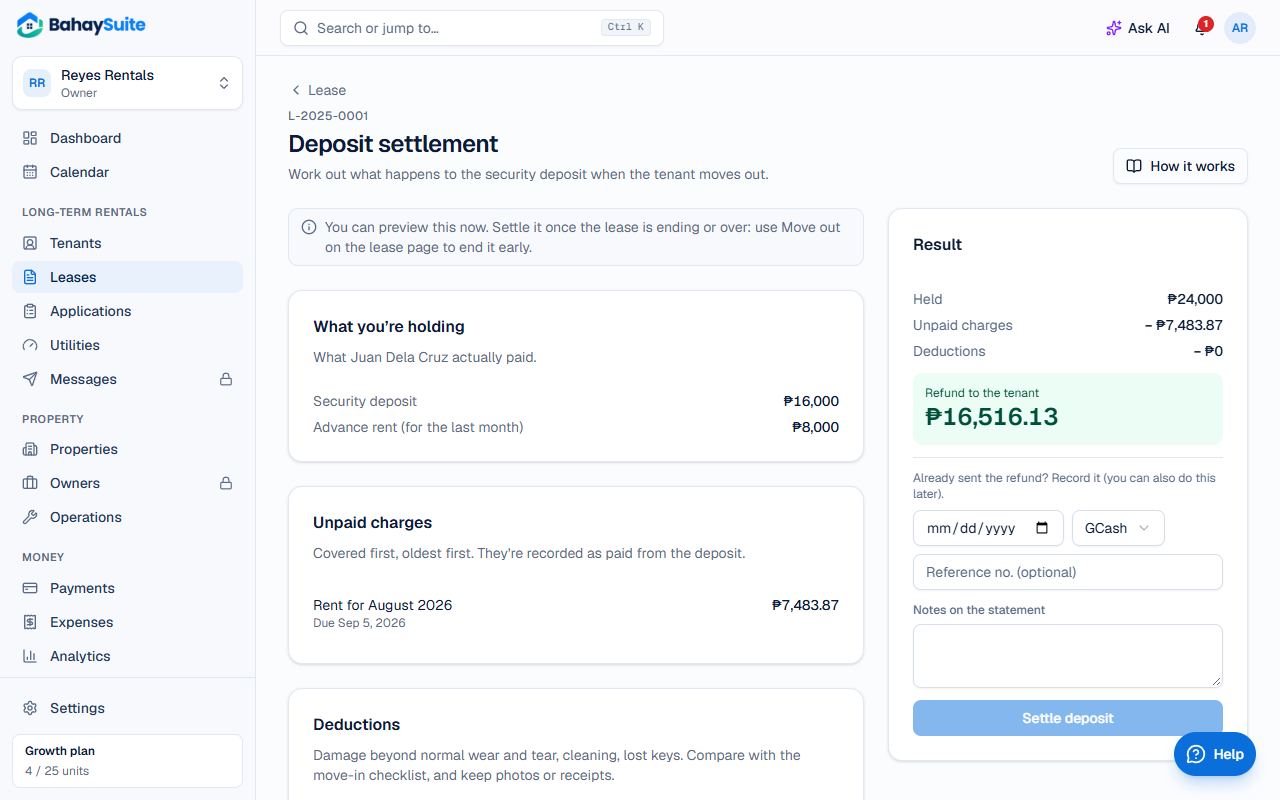
Print the Statement of security deposit for the tenant. Made a mistake? Undo settlement and do it again.