



Send the pay link
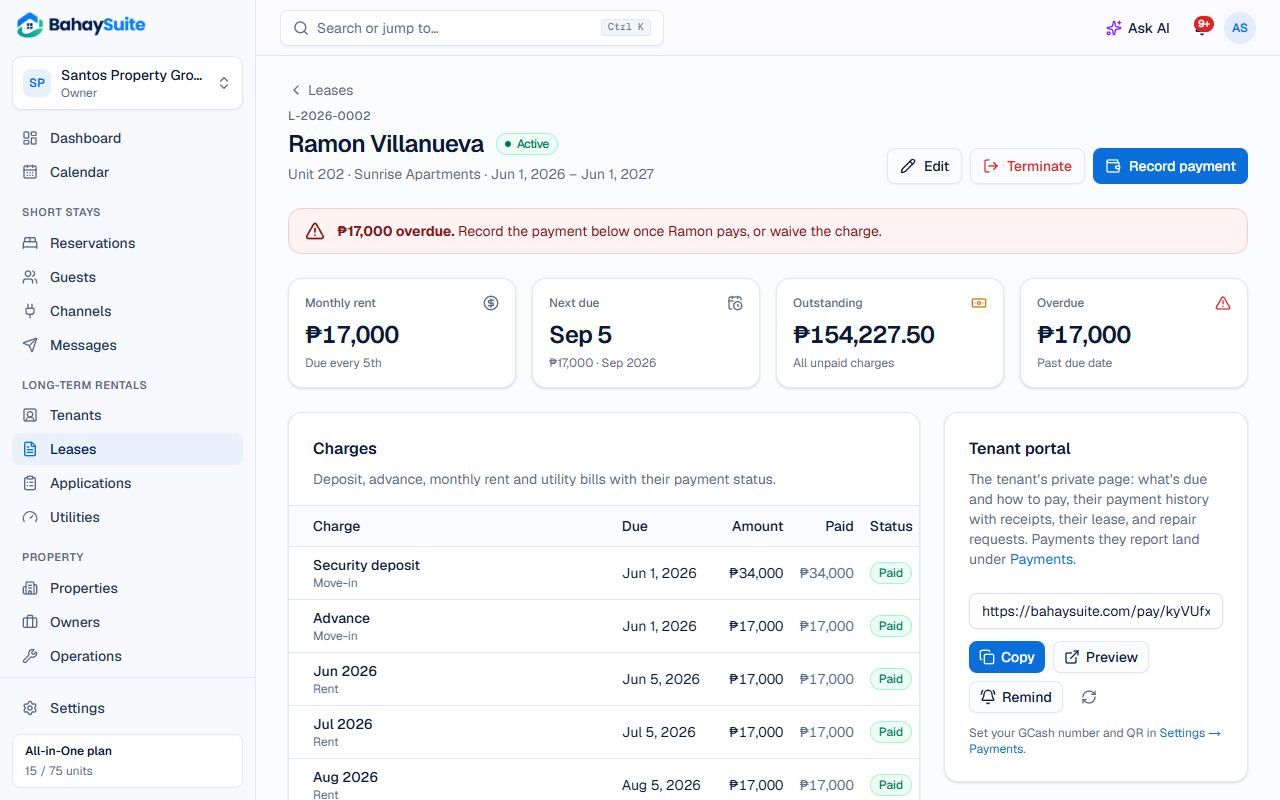
- Open the lease. In the Tenant pay link card, click Copy.
- Send it to your tenant by Messenger, Viber or SMS. It works on any phone without a login.
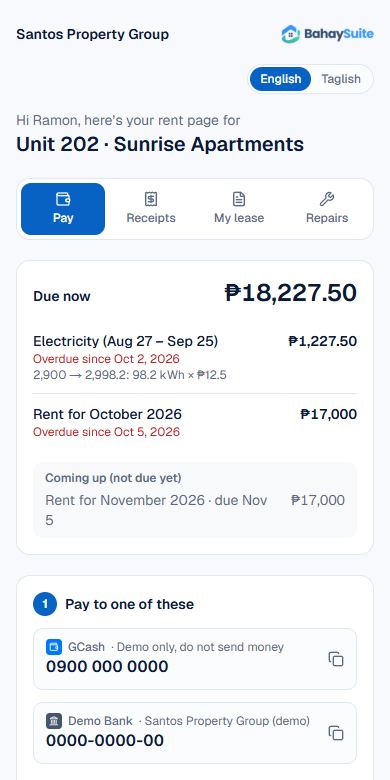
On the link, the tenant sees what’s due and how to pay you. After paying, they fill in Already paid? Tell your landlord with the amount and GCash reference or a receipt screenshot.
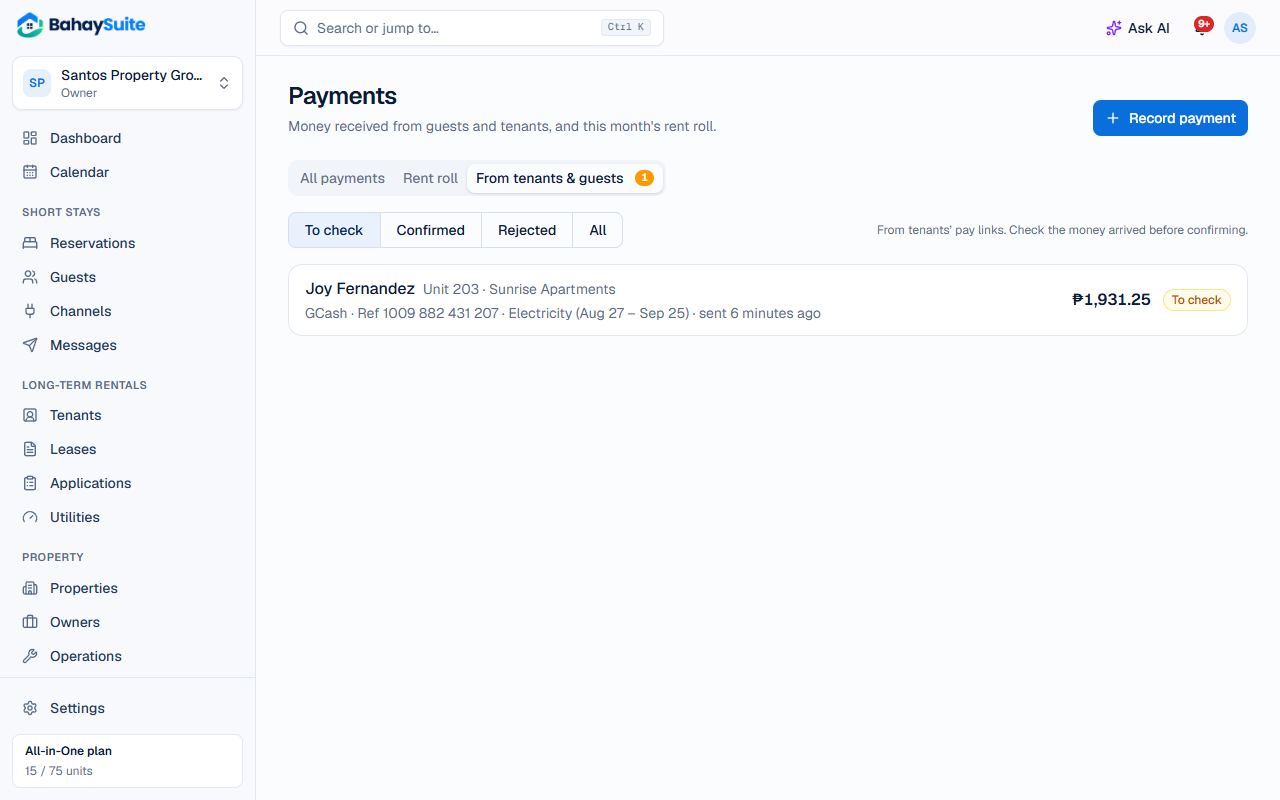
Confirm a payment
- You get a notification. Go to Payments → From tenants & guests (it shows a count).
- Open the payment and check the proof. If the amount received is different, change it.
- Click Confirm and record, or Reject with a reason.
Confirmed payments go to the oldest unpaid charges first, and the tenant can print a receipt from their link (what a receipt should say). QR Ph payments through PayMongo confirm themselves.
Remind a tenant
Automatic reminders follow your settings in Settings → Payments. To nudge someone yourself, click Remind on the lease and choose Copy message to paste into Messenger or Viber, Send text to text it from BahaySuite, Text from my phone (any network), or Email. See Text reminders.
Record cash or other payments
Paid in cash? Click Record payment on the lease or on the month’s charge.