



Open Messages → Automations and switch on the messages you want. For guests: Booking confirmed, Check-in details, Checkout reminder and Thank you. For tenants: Welcome, Payment receipt, Renewal offer, Move-out reminders and Repair done.
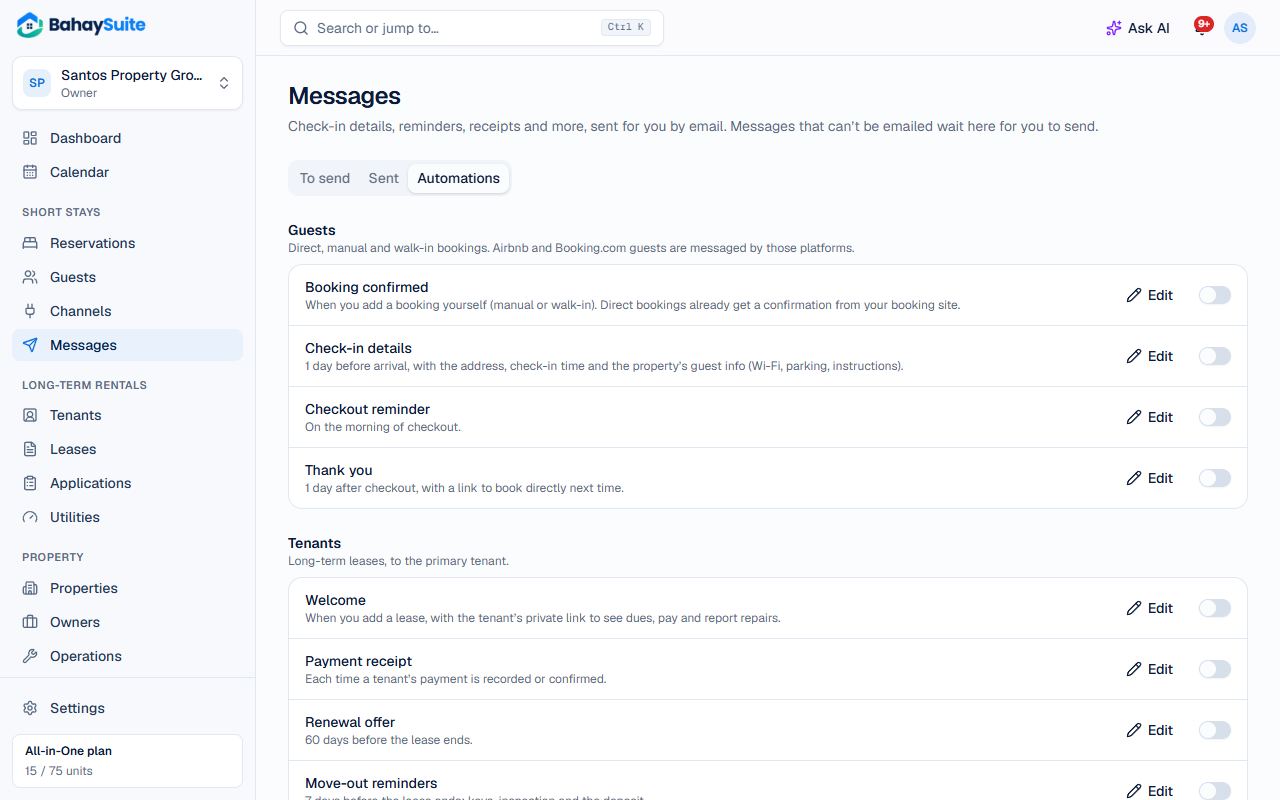
- Open a message to edit the wording. Use Send me a test to see it in your inbox.
- Click Save and switch it on. Only bookings and leases from then on get it.
Messages are emailed between 8 AM and 9 PM. When a guest or tenant has no email, the message waits under To send, where you can copy it or open Viber or SMS, then Mark sent.
With the Messenger Inbox, a guest or tenant whose conversation is linked and who wrote to your Page in the last 24 hours gets the message on Messenger instead of by email.
Part of All-in-One, or the ₱99 Automated messages add-on.