



BahaySuite syncs with Airbnb, Booking.com, Agoda, Vrbo and any site that has an iCal (.ics) calendar link. It works both ways: bookings from the site come into BahaySuite, and dates booked in BahaySuite are closed on the site.
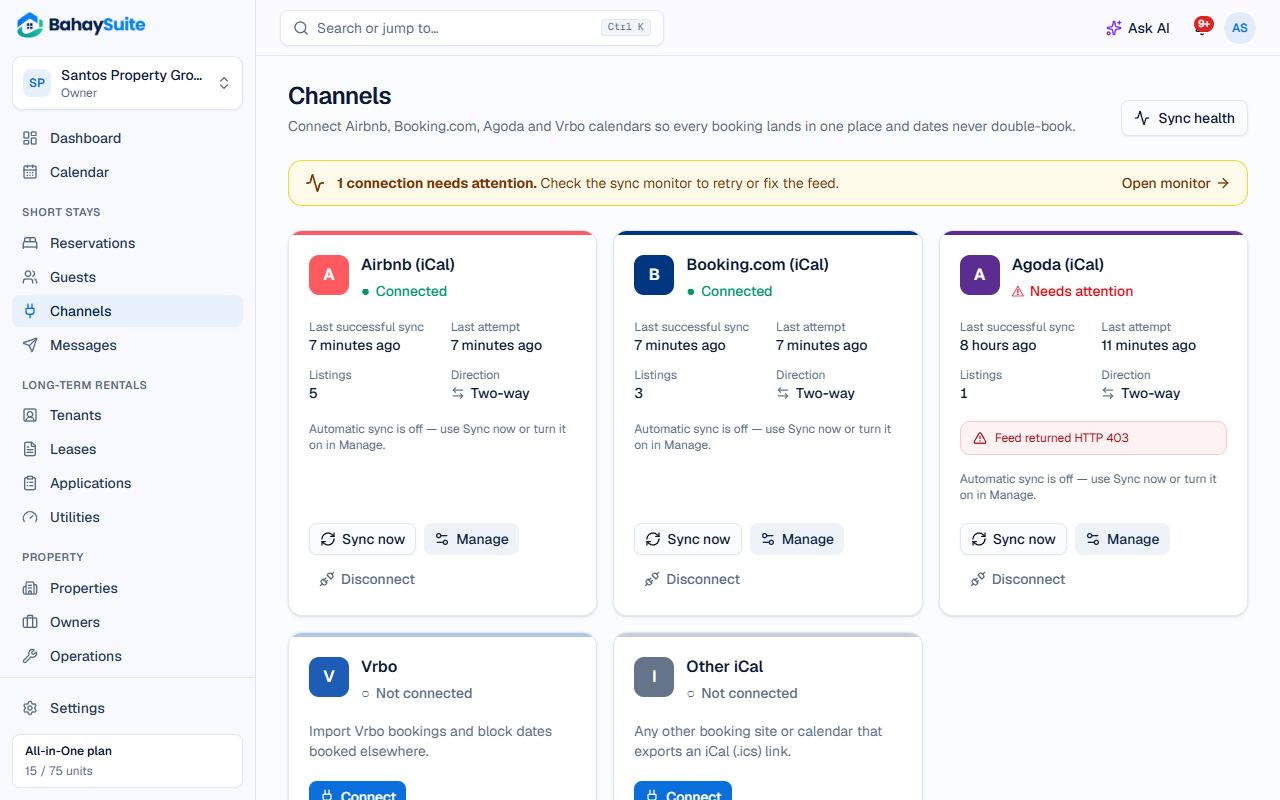
1. Connect the channel in BahaySuite
- Open Channels in the sidebar and click Connect on the Airbnb (or Booking.com) card.
- Keep Two-way selected and click Connect Airbnb.
2. Bring the listing’s bookings in
- In Airbnb, open Calendar, choose the listing, and look under Availability for Connect calendars (sometimes called Sync calendars). Choose to export and copy the link that ends in .ics.
- Back in BahaySuite, pick the Unit, paste the link into Airbnb iCal export URL, and click Map listing. The first import starts right away.
3. Send your BahaySuite dates back
- BahaySuite now shows a link for that unit. Click Copy.
- In Airbnb, in the same Connect calendars screen, choose to import another calendar, paste the link and name it “BahaySuite”.
- Click Map another listing for your next unit, or Done.
Repeat for each listing. One connection per site can hold all your listings on that site.
How often it syncs
BahaySuite checks your channels every 15 minutes, and you can click Sync now any time. Each site reads your BahaySuite calendar on its own schedule; Airbnb about every 3 hours. Calendar links only carry dates, so guest names and prices stay on Airbnb or Booking.com.
Good to know
- Bookings cancelled on the site are cancelled in BahaySuite on the next sync.
- If a sync fails, the card shows Needs attention and you get an email. Usually the calendar link changed; copy the new one into Manage → Edit listing.
- Booking.com shows both bookings and closed dates as “Closed”. Long runs of 30+ nights come in as blocks, shorter ones as a Booking.com guest.
- Calendar connections per plan: Free 1, Starter 3, Growth 10, All-in-One unlimited. One connection is one site (all its listings), not one listing.