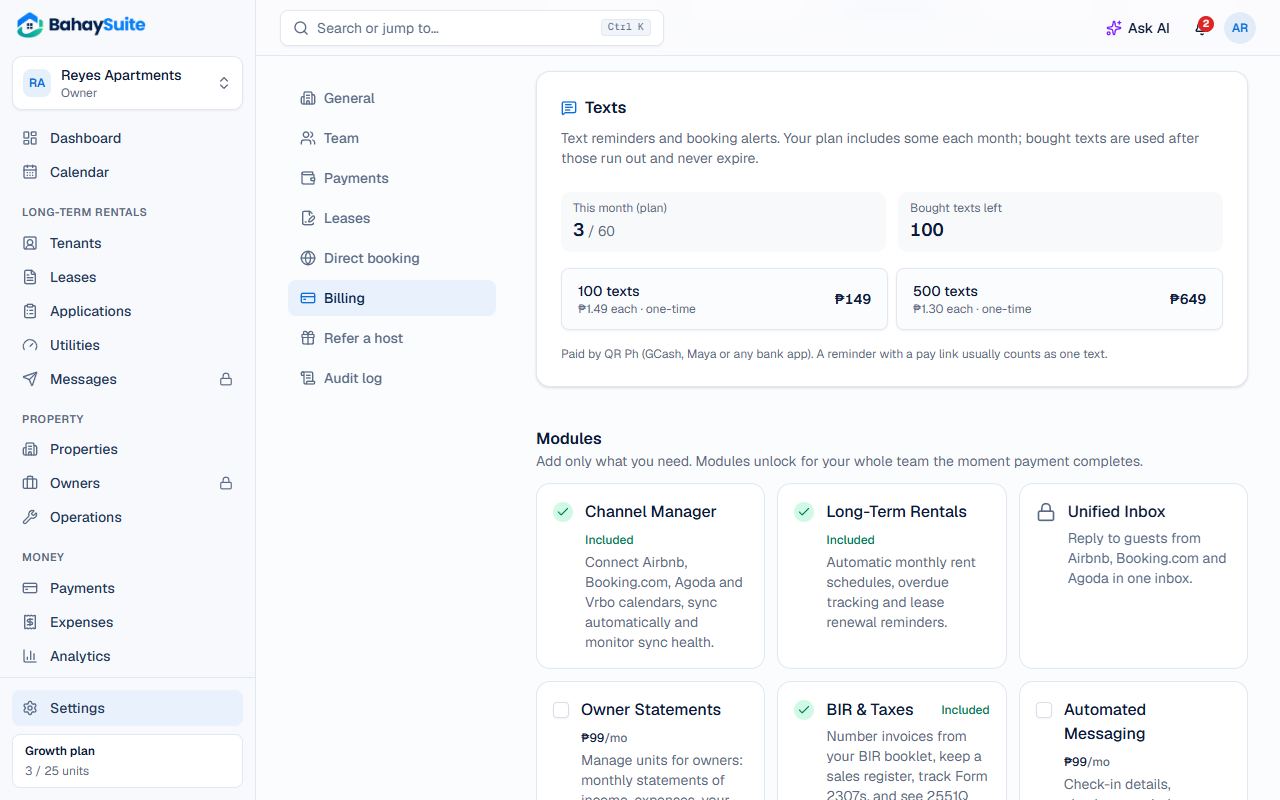
Turn on automatic texts
- Go to Settings → Payments.
- Under Reminders and utility bills, switch on Text tenants automatically, then click Save.
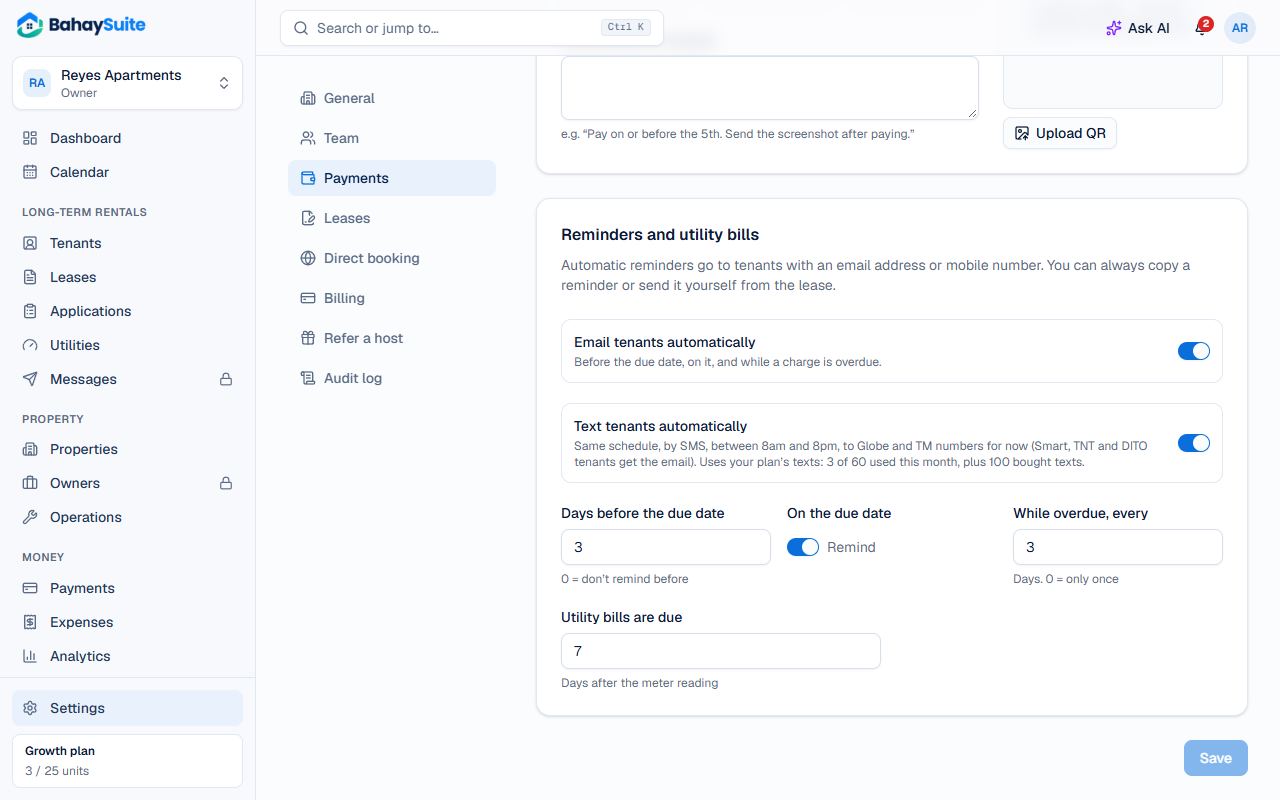
Texts follow the same schedule as email reminders (days before the due date, on the due date, and every few days while overdue), and only go out between 8 AM and 8 PM. Each one starts with your business name and has the tenant’s pay link.
Send one yourself
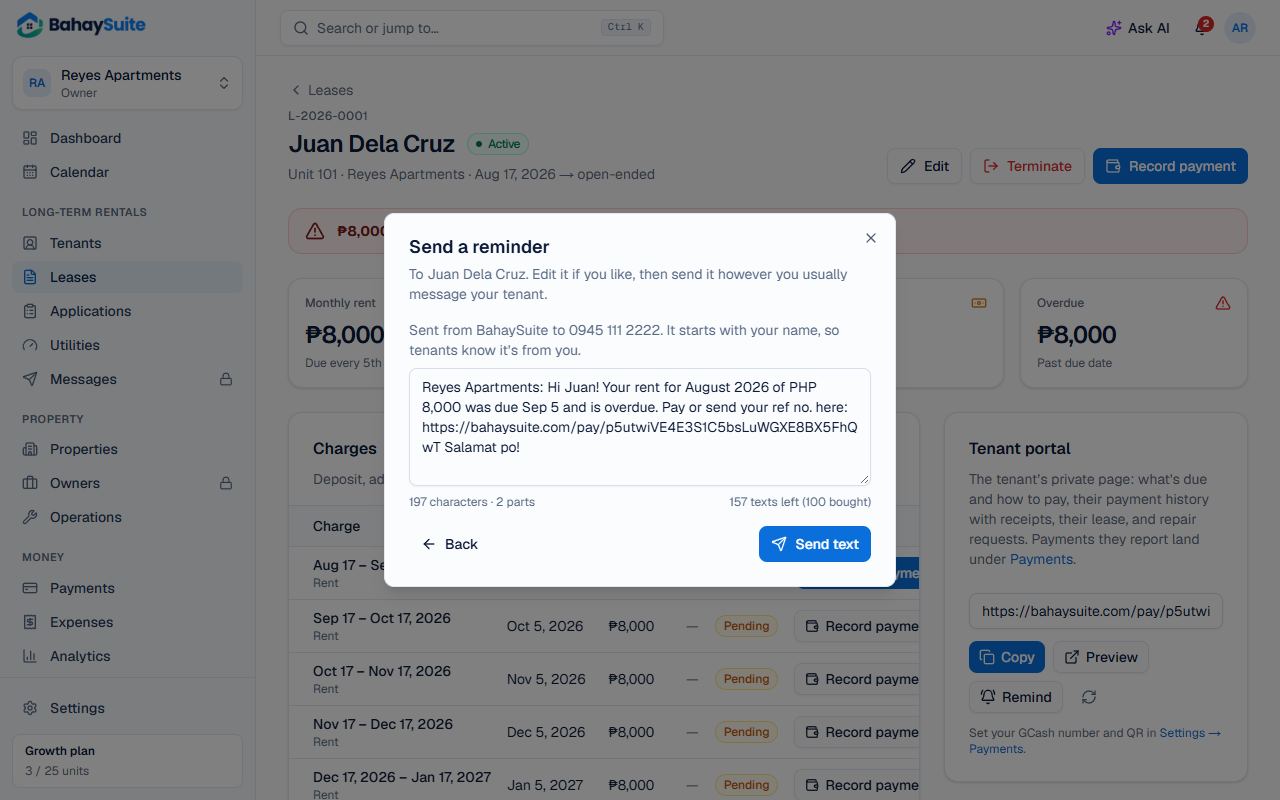
- Open the lease and click Remind.
- Click Send text. A short version of the reminder appears: edit it if you like.
- Click Send text.
Which numbers get texts
Texts from BahaySuite come from the sender name “BahaySuite” and reach Globe, Smart, TNT, Sun and DITO numbers. In the Remind window you can also click Text from my phone: it opens your own messaging app with the reminder filled in.
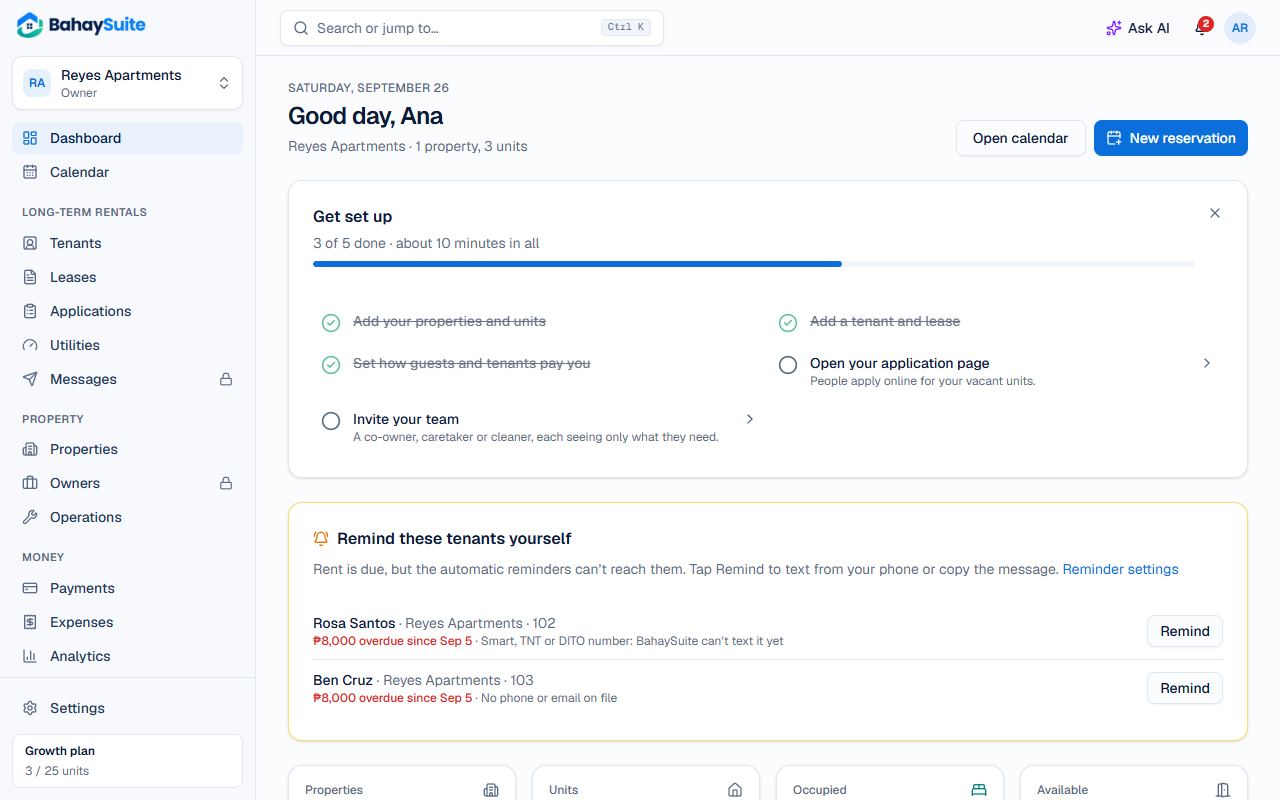
Remind these tenants yourself
When rent is due for tenants the automatic reminders can’t reach (a number BahaySuite can’t text yet, no email, or nothing on file), your Dashboard lists them. Click Remind next to each one. Once reminded, they drop off the list for 3 days.
How many texts you have
Plans include texts every month: 20 on Starter, 60 on Growth and 150 on All-in-One (10 during a free trial). Each reminder counts as one text, and the count resets on the 1st.
Need more? Go to Settings → Billing → Texts and buy 100 texts for ₱149 or 500 for ₱649, paid by QR Ph. Bought texts are used after the month’s texts run out and never expire. A text that fails to send is given back.