



Bookings you add in BahaySuite can’t overlap: it refuses dates that are taken. An overlap can only come from two channels booking the same night before their calendars caught up with each other.
How you’re warned
- A Potential double booking notification and email.
- A banner on the Dashboard with Review →.
- A red warning on the booking in the Calendar and in Reservations (turn on Conflicts only to see just those).
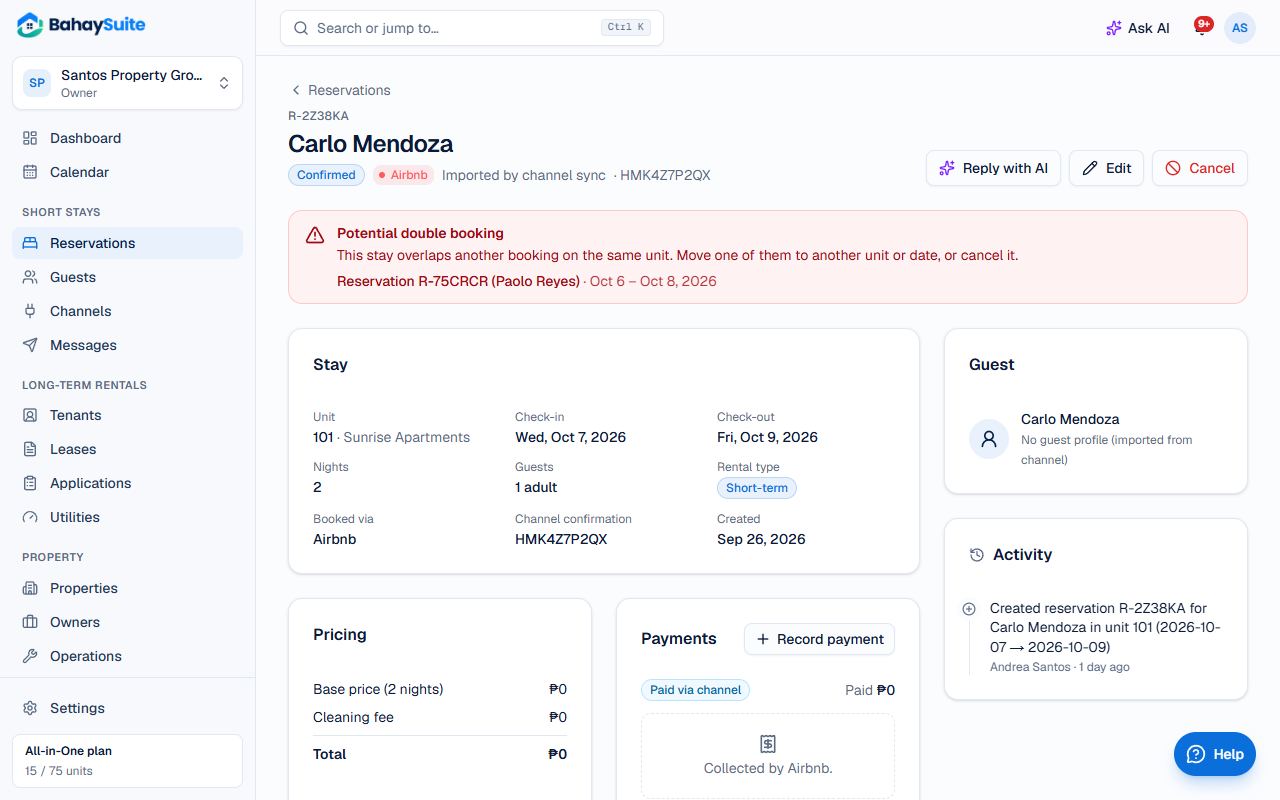
Fix it
- Open the booking. The red Potential double booking box links to the stay it overlaps.
- If you have a free unit, click Edit and move one booking to it.
- If not, contact one guest and cancel on that channel (Airbnb, Booking.com), where refunds are handled. BahaySuite cancels it at the next sync.
Why it happens, and how to make it rarer
BahaySuite reads your channels’ calendars every 15 minutes, but each channel reads your BahaySuite calendar on its own schedule (Airbnb about every 3 hours). A booking made in that gap can land on dates already taken elsewhere.
- Right after a booking comes in for busy dates (Undas, Christmas, long weekends), click Sync now on the connection under Channels.
- For peak dates, block them yourself on the other channels as soon as you get a booking.
- Check Channels for connections marked Delayed or The last sync failed, and fix them.