



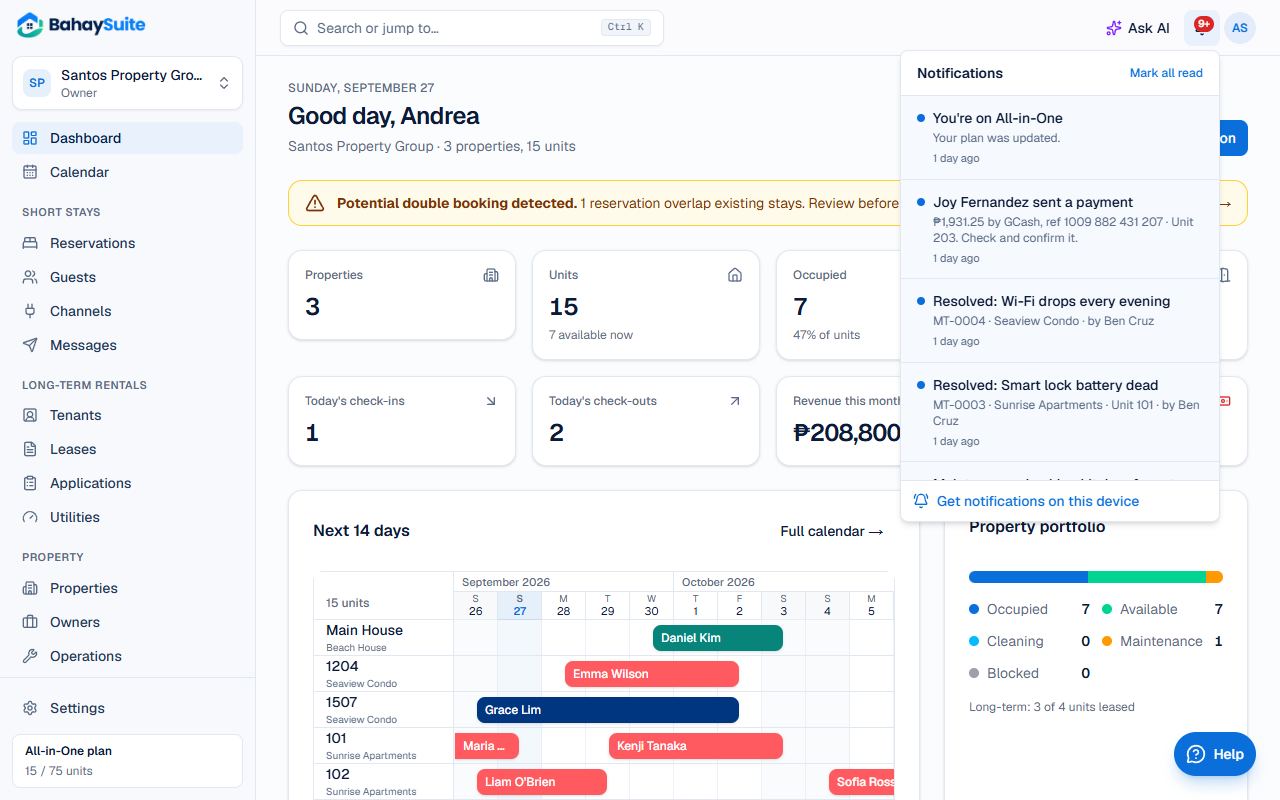
The bell at the top shows new notifications. Click one to open it, or Mark all read.
Get them on your phone
Get the BahaySuite app from the App Store (iPhone) or Google Play (Android) and allow notifications when it asks. See Install BahaySuite on your phone.
Get them on a computer
- Click the bell.
- At the bottom, click Get notifications on this device and allow notifications when your browser asks.
- Click Test to check it works.
Turn it on on each computer you use.
What you’re told about
- New and cancelled bookings from Airbnb, Booking.com and other channels, and booking requests from your website.
- Potential double bookings, and calendar syncs that fail.
- Payments tenants and guests report, online payments, and rent that becomes overdue.
- Leases ending in 30 days, rental applications, cleaning and repair tasks.
The important ones (double bookings, failed syncs, overdue rent, booking requests, applications) also come by email. Each person only gets what their role can see: a cleaner gets tasks, not payments.