



Partial payments
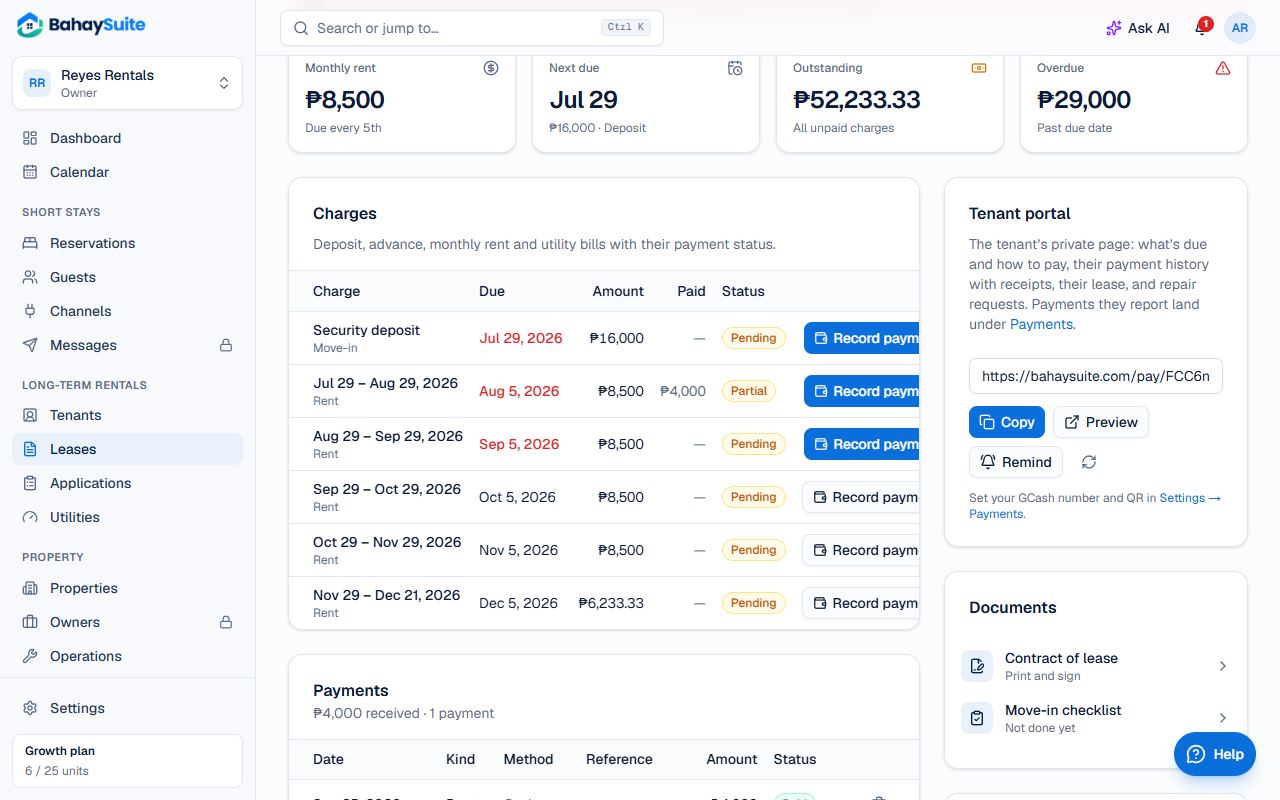
- Open the lease and click Record payment (or the button on the month’s charge).
- Choose the Charge it’s for. It shows how much is left.
- Enter the Amount actually paid, the date, Method and Reference, and save.
The charge is marked Partial until the rest comes in, and the tenant’s pay link shows the balance. Payments tenants send through their pay link go to the oldest unpaid charges first.
Waive a charge
Forgiving a month or the rest of it? On the charge, open the menu and choose Waive charge (or Waive remaining). Reopen charge undoes it.
Late fees
- Go to Settings → Leases and turn on Late fees.
- Choose % of rent (up to 25%) or Fixed amount, and click Save fee.
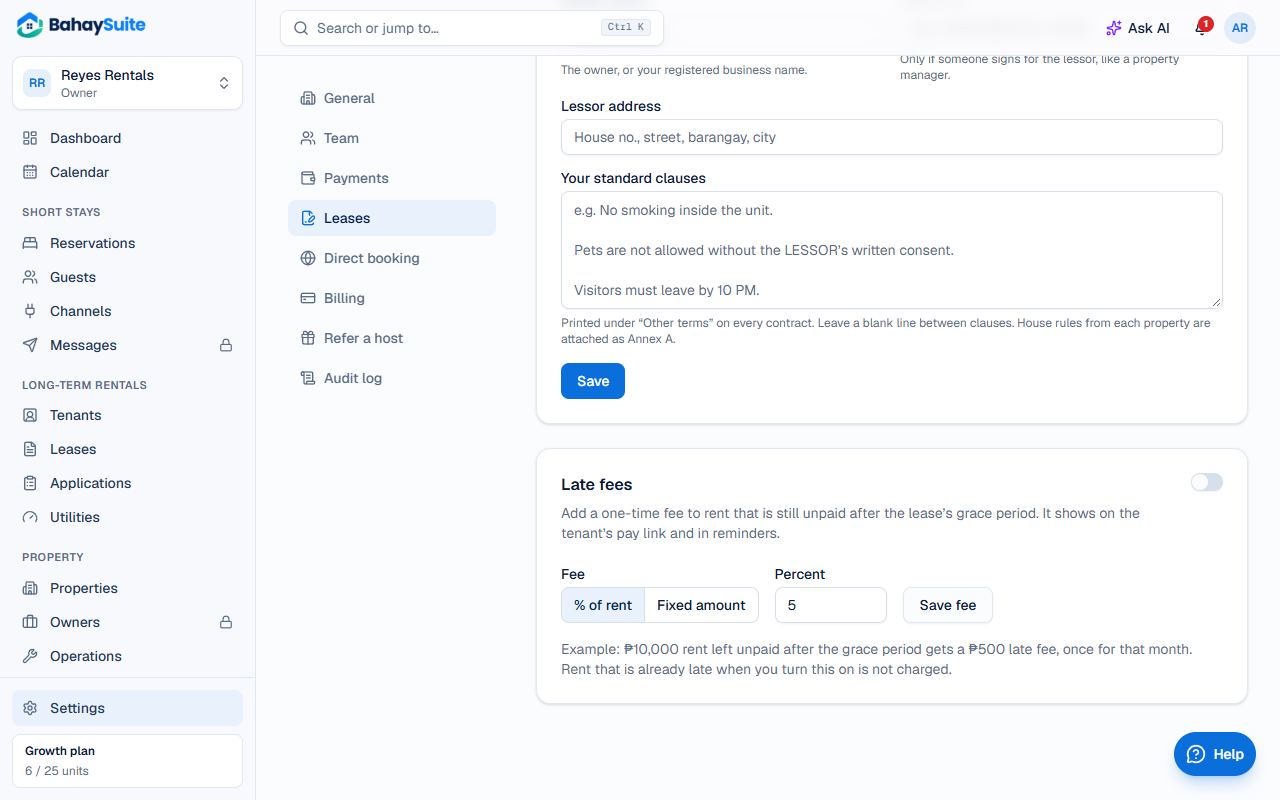
- The fee is added once a month, only to rent still unpaid after the lease’s Grace period.
- A percentage is taken from what’s still unpaid, rounded to whole pesos.
- Rent that was already late when you turned it on isn’t charged.
- The fee shows on the tenant’s pay link and in reminders.