



Thirty days before a lease ends it shows as Expiring and you get a reminder to renew it or plan the move-out. On the end date it becomes Expired and can’t be changed any more, so decide before then.
Renew
- Open the lease and click Renew.
- Pick the new term: 6 months, 1 year, 2 years or Month-to-month, or choose an end date.
- Change Monthly rent if the rent goes up. The dialog shows the change, for example +5% from ₱8,000.
- Click Renew lease.
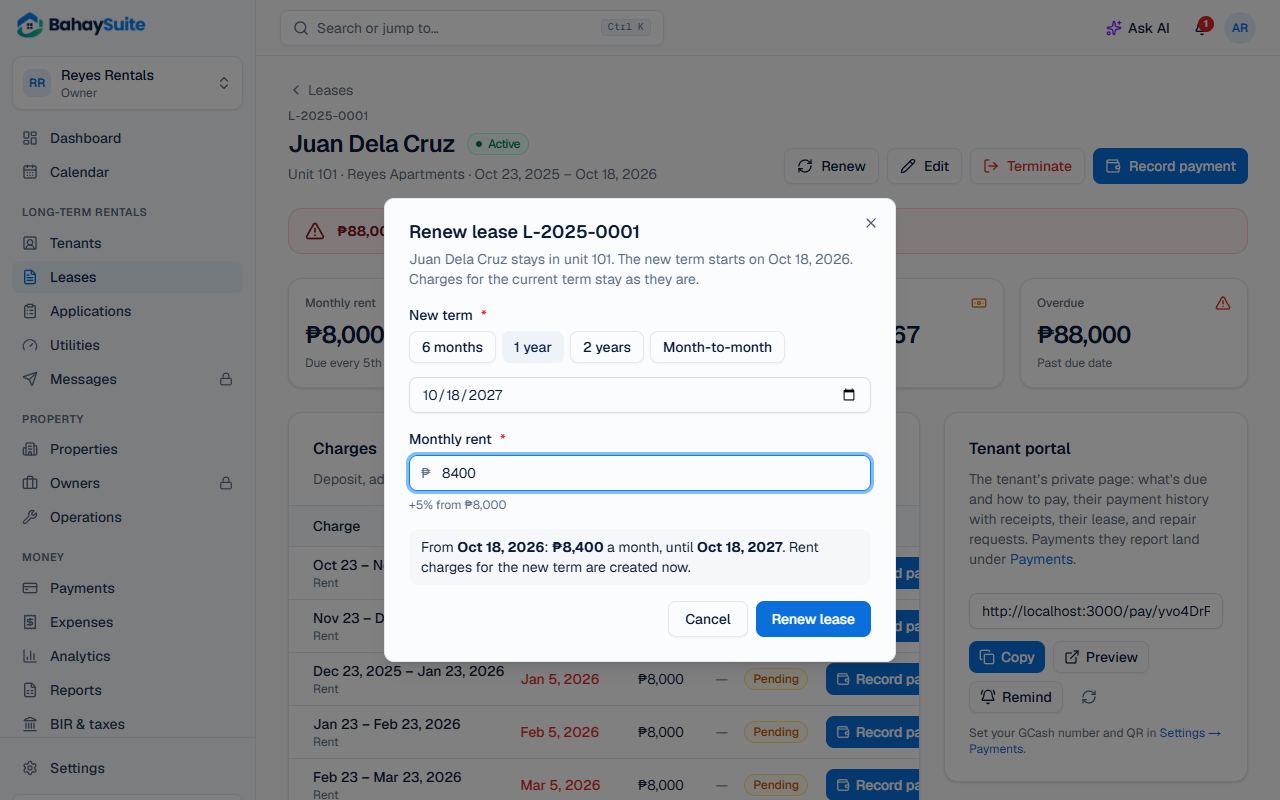
The new term starts when the current one ends. Charges for the current term stay exactly as they are, and the new term’s rent charges are created straight away at the new rent. If the old term ended partway through a month, the rest of that month is charged at the new rent, so nothing is charged twice or missed.
Change the rent or terms without renewing
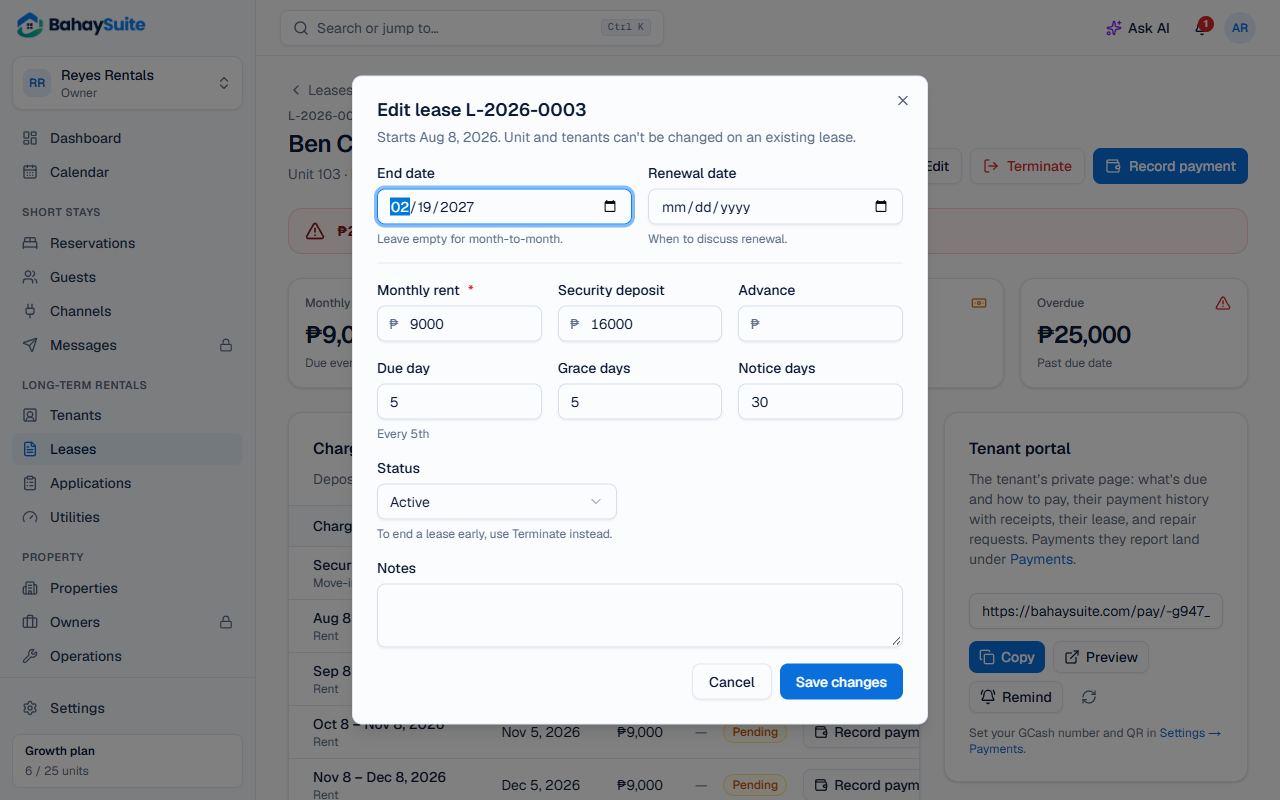
Click Edit to change the rent, due day, grace period or other terms of the current lease. A new rent re-prices the unpaid rent charges that are still ahead. Moving the End date later also adds the rent for the extra months. Use Renewal date to remind yourself when to talk to the tenant about renewing.
Starting fresh with a new contract, deposit or tenants? Create a new lease for the same unit once the old one ends.
End a lease early
- Open the lease and click Terminate.
- Enter the Move-out date and, if you like, a Reason.
- Click Terminate lease. The unit is free from the move-out date and rent charges after it are removed. This can’t be undone.
Then settle the deposit: see Move-in and move-out checklists, and the deposit refund.