



Add a property
- Open Properties and click Add property.
- Fill in Property name, Type and Default rental model (new units start with it). The address, Check-in from and Check-out by times, house rules and guest information (Wi-Fi, parking, check-in instructions) are optional but show on your booking site and guest messages.
- Click Create property. It opens on the Units tab.
Add units
On the property’s Units tab:
- Add unit for one: Unit name, Floor, Rental model, Nightly rate, Monthly rent and Max guests.
- Generate units for many at once: choose How many units?, Start at (e.g. 101), an optional Prefix, and check the Preview before clicking Create units. Up to 500 at a time.
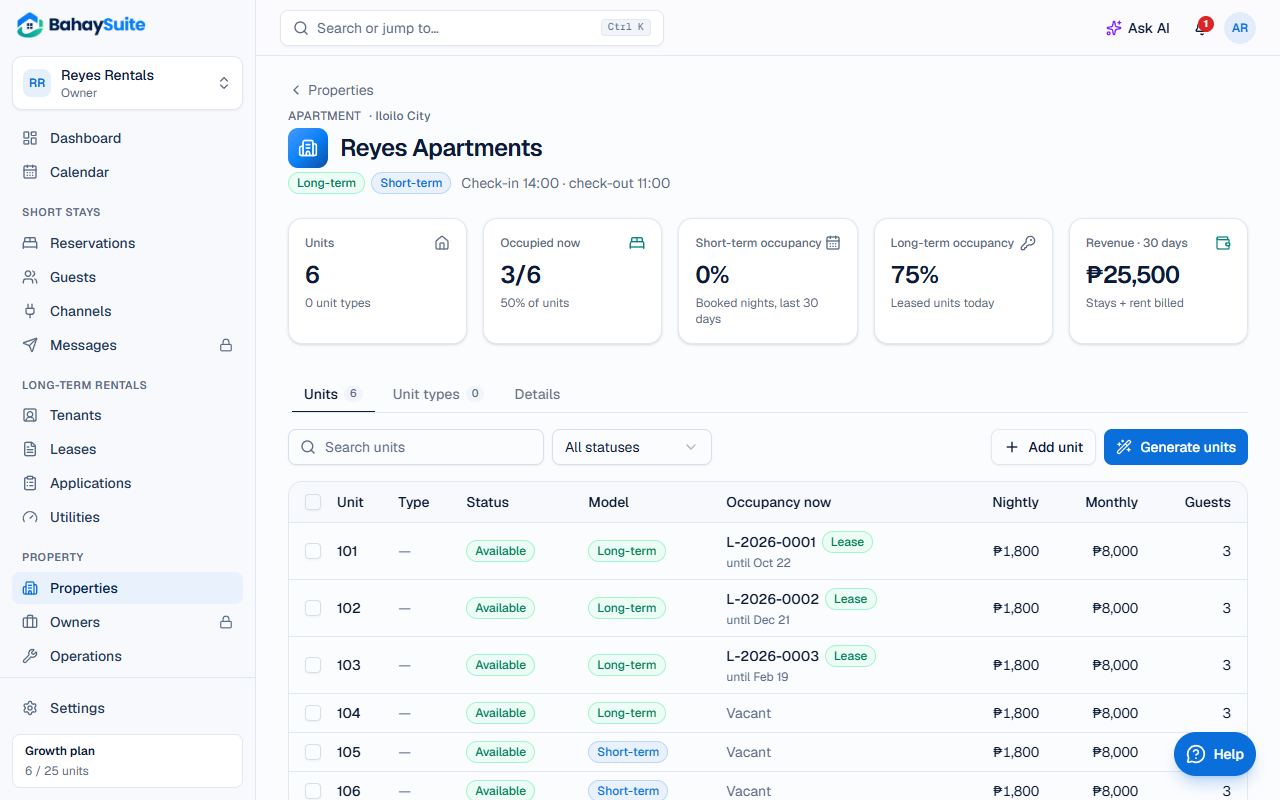
Unit names must be unique in a property. Your plan sets how many properties and units you can have; see Plans, add-ons and paying for BahaySuite.
Choose the rental model
- Short-term and Medium-term: nightly stays. Only these units (with a nightly rate) appear on your booking website.
- Long-term: monthly tenants with a lease. A unit switches to Long-term by itself when an active lease starts.
Set rates and extra-guest fees
- Click a unit to open it.
- Under Rates, set Nightly rate, Monthly rent, Cleaning fee and Security deposit.
- Under Guests, set Max guests. To charge for extra guests, set Nightly rate is for (how many guests the rate covers) and Each extra guest (the fee per night).
- Check the Price per night preview, then click Save changes.
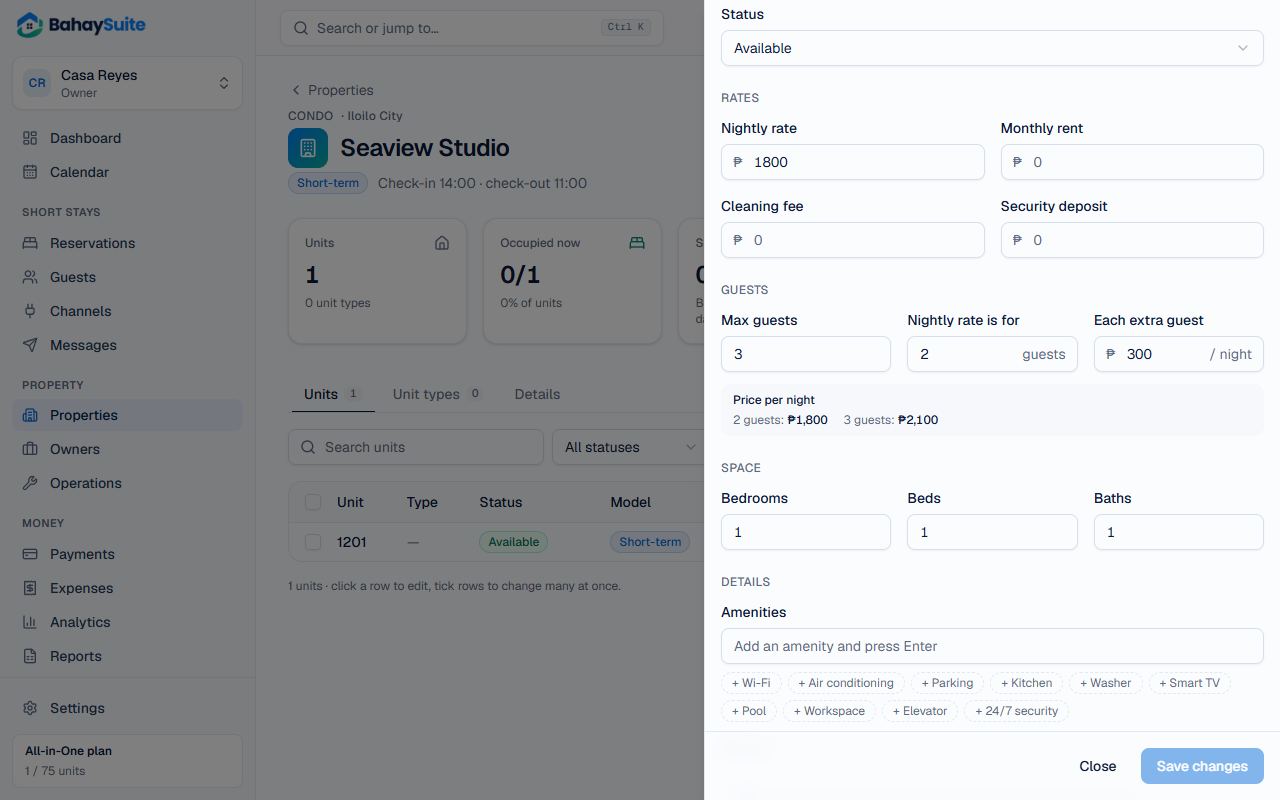
Example: a studio for up to 3 guests at ₱1,800 a night for 2, plus ₱300 per extra guest. Set Max guests to 3, Nightly rate is for to 2 and Each extra guest to 300. Three guests pay ₱2,100 a night.
Change many units at once
Tick units in the list to get a bar with Rates, Status, Rental model, Unit type and Block dates. In Rates, blank fields are left unchanged, then click Apply.
Remove a unit
In the unit, under Remove unit: Archive keeps its history and stops it counting toward your plan. Delete is only for units that were never booked or leased.