Most paupahan and boarding houses have one Meralco (or other utility) account for the building and a submeter for each unit or room. Arguments about the kuryente usually come from one thing: the tenant can’t see how their amount was computed. A fair, simple method fixes that.
Charge the actual rate, not a markup
Under Energy Regulatory Commission (ERC) rules, a landlord who submeters may only pass on what the electricity actually cost. Earning from electricity, for example charging a flat ₱20 per kWh when the bill works out to ₱12, isn’t allowed, and it’s the most common source of complaints.
Work out this month’s rate
- Take the building’s main bill for the month: the total amount and the total kWh used.
- Divide the amount by the kWh. That’s the rate per kWh for this month.
- Read each submeter on the same day every month. This month’s reading minus last month’s is what the unit used.
- Multiply each unit’s kWh by the rate.
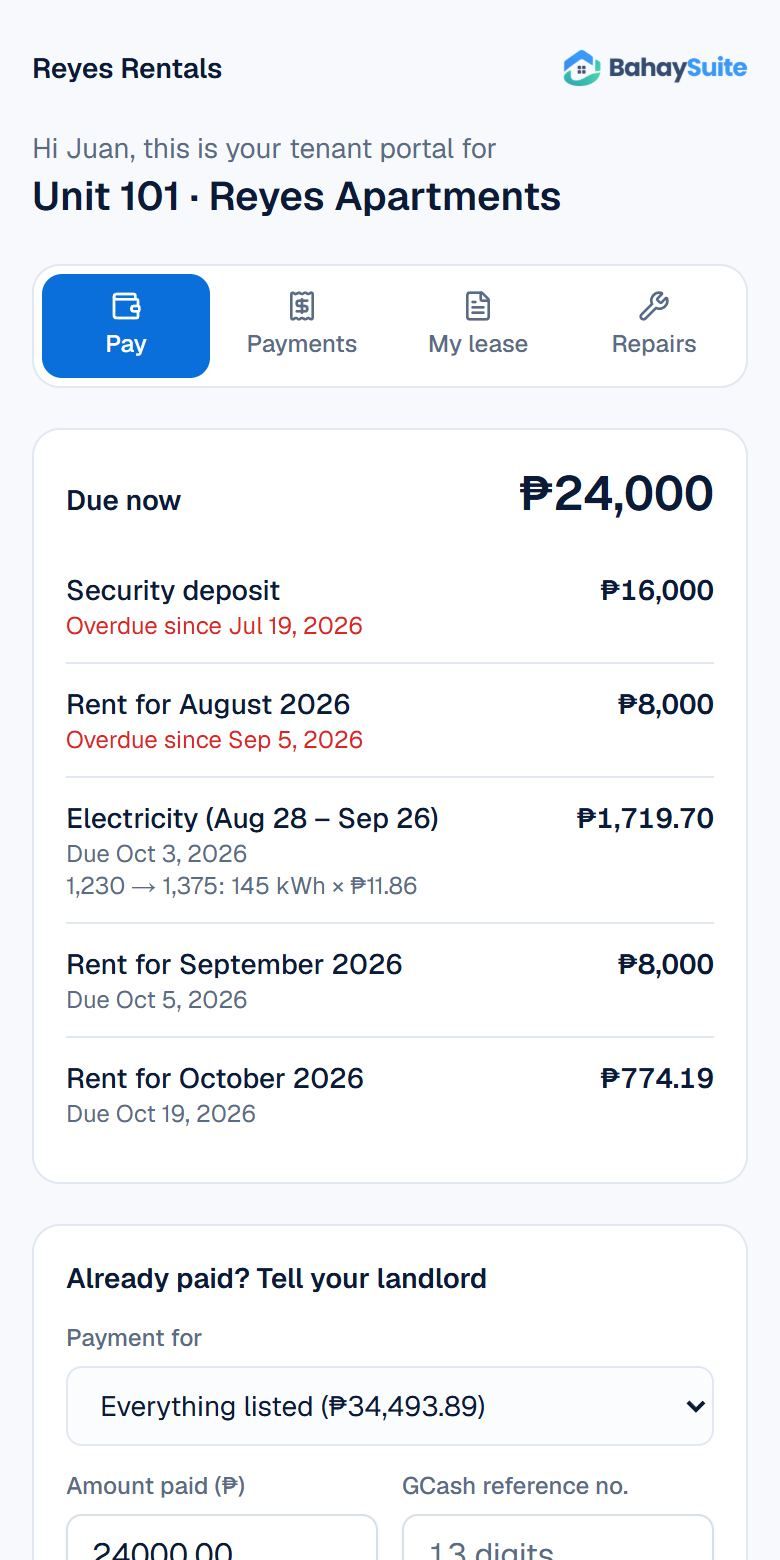
Worked example: the main bill is ₱12,450.00 for 1,050 kWh, so the rate is ₱11.86 per kWh. Unit 3A’s submeter went from 1,230 to 1,375, so it used 145 kWh. Its bill is 145 × ₱11.86 = ₱1,719.70.
Common areas
Hallway lights, a water pump or a shared laundry use power too. Decide up front how that’s covered, whether it’s in the rent or split equally, and write it in the lease. Don’t fold it quietly into the per-kWh rate.
Water works the same way
For water submeters, use the same method with cubic meters (m³): the main water bill divided by the total m³ used, times what each unit used.
Do it in BahaySuite
- Open Utilities and click Add meter for each unit: electricity (kWh) or water (m³), and this month’s rate.
- Each month, update the rate from the new bill: open the meter and change Rate per kWh, then click Update.
- Click Record readings and enter each meter’s reading. BahaySuite bills usage × rate to the tenant’s lease, and it shows on their pay link.
Tenants see the reading, the kWh used and the rate on their bill, so the math is right there. See Electricity and water bills from meter readings for the full setup.